
Groups & Ride Outs
Ride together.
Find a riding group, see what’s on and say you’re going, all in the Wave Pro app. Clubs, crews and organisers run their groups and their days in the same place.
Explore groups opens them in your Wave Pro account. It’s free to join.
For riders
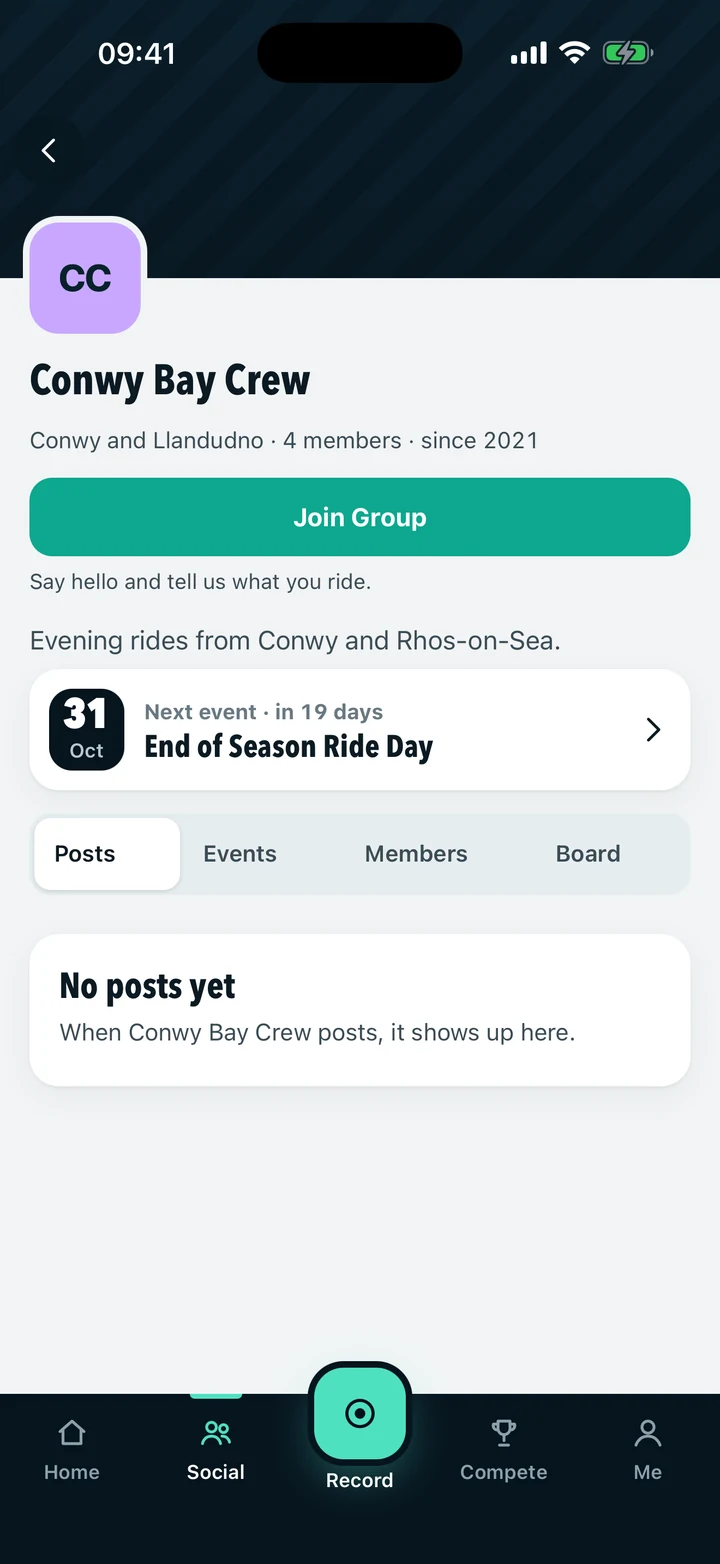
Find your people, and a day to ride.
Discover groups
Browse riding clubs and crews in Discover, or search by name. Your own groups sit together under Yours.
Join one
Ask to join and the group's admins approve you, or accept an invitation from a group you know.
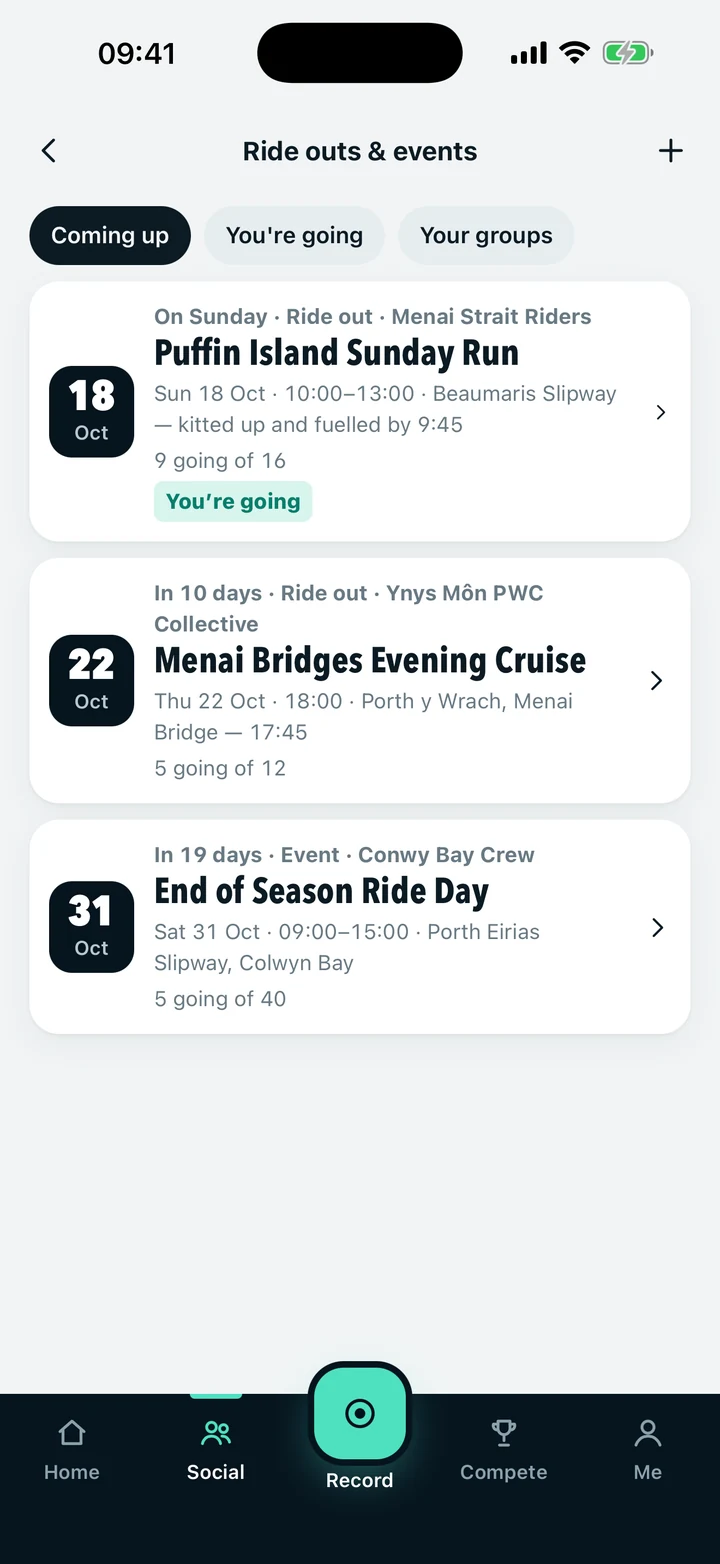
Find ride outs and events
See what's coming up, then narrow it to the days you're going to or your own groups' days.
Going or Interested
Say you're going in one tap. Where an organiser sets spaces, the limit is held, and some days are for a group's members only.
Ready before the day
See the meeting point, times, details and anything the organiser asks for. Upload a completed form, or share a document from your Garage.
For groups
Give your club a home.
For jet ski clubs, boating groups and mixed crews alike.
Create your group
Four short steps: name, about, contact and a final check. Then send it for review.
Reviewed before it's public
Every new group is reviewed by Wave Pro before riders can find it. Until then, only you can see it.
One home for the club
Posts, ride outs and events, and members, together on the group's own page.
You decide who joins
Group admins approve or decline requests and can invite riders by email.
Speak as the group
Owners and admins can post as the group, so its news comes from the club, not one person.
For organisers
Run the day, from the plan to the check-in.
Plan it, then publish
Set the date, start and finish times, the meeting point or location, a launch if there is one, details and requirements. Save a draft and publish when it's ready.
On the water or off it
Any rider can put on a ride out, a run on the water. An event is a meet or social run by a group you look after, wherever it happens.
Know who's coming
See who's going, message everyone at once, send reminders and export the list.
Collect what you need
Ask riders for documents or forms, then accept each one or ask for a new copy with a reason.
Check in on the day
Check riders in as they arrive. An organiser's check-in is what counts as attended.
In the next app update
Arriving with Wave Pro 2.2.
These are built and being tested. They are not in the app yet, and they arrive when the update reaches the App Store and Google Play.
Rider check-in
Riders can say they've arrived, pass checkpoints and say they've left, even with no signal. An organiser's check-in still confirms attendance.
Event wall
Updates for everyone going, in one place on the day.
Live rider map
Riders who choose to share can show the organiser where they are during the event. It is off unless a rider turns it on.
Multi-day events
Events that run across several days, with an early-arrival time.
Contact the organiser
An organiser can add a phone or WhatsApp number to the event.
Ride linked to the day
A ride recorded in Wave Pro can be linked to the event it was part of.
What the words mean.
Approved isn't verified
Approved means a group may appear on Wave Pro. A Verified club mark means Wave Pro has confirmed it is the recognised organisation.
Going isn't attended
Saying you're going is a plan. Only the organiser's check-in records that you were there.
The organiser reviews documents
Wave Pro passes documents to the organiser. It doesn't check them or confirm that they prove cover.
Questions
- Is it free?
- Yes. Joining groups, finding ride outs and events, and saying you're going are free in Wave Pro.
- Is it just for jet skis?
- No. Groups aren't tied to one kind of craft, so jet ski clubs, boating groups and mixed crews all use them.
- Can I see groups on the website?
- Groups, ride outs and events are in the Wave Pro app. Log in on the website to see the groups you belong to.
- Who can organise?
- Any rider can put on a ride out. An event is run by a group, through its owner and admins, and the group must be approved first.
Get Wave Pro and find your group.
Free on the App Store and Google Play.


Already on Wave Pro? Explore groups · Find a launch